Monthly
$7.99per month
Full access with the freedom to cancel anytime.
Get Monthly AccessWindows color-enhancement app for Rust players
Make every biome feel more vivid with customizable color, contrast, brightness, gamma, and vibrance profiles—all from one lightweight Windows application.
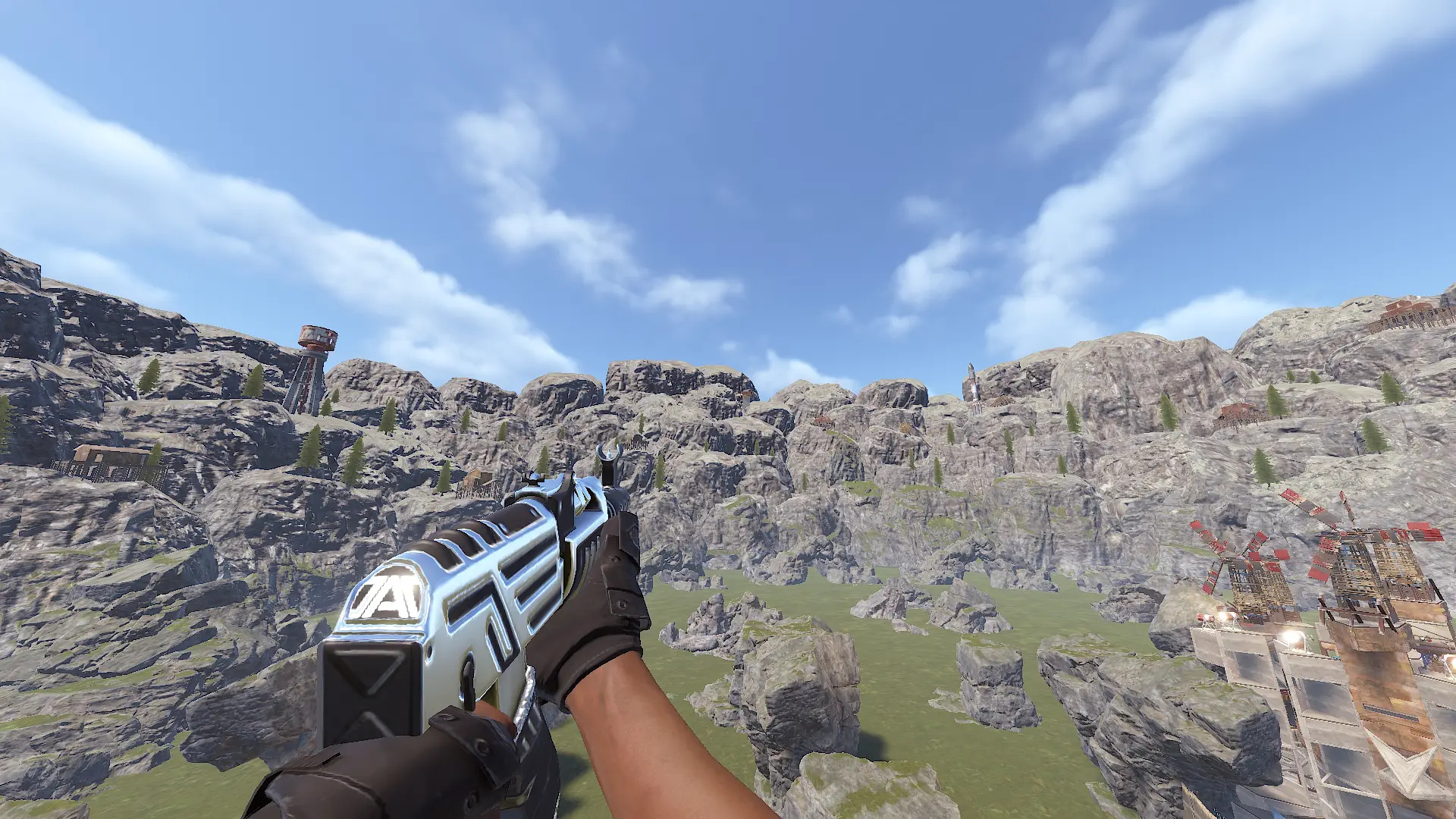
Drag the handle, or use the arrow keys, to compare LunaForge off and on.
LunaForge Visual Engine
Create a cleaner, brighter and more vibrant image in seconds. Adjust your visuals to match your personal setup without constantly changing complicated settings.
$7.99per month
Full access with the freedom to cancel anytime.
Get Monthly Access$3.99one-time payment
Pay once and keep access permanently.
Get Lifetime Access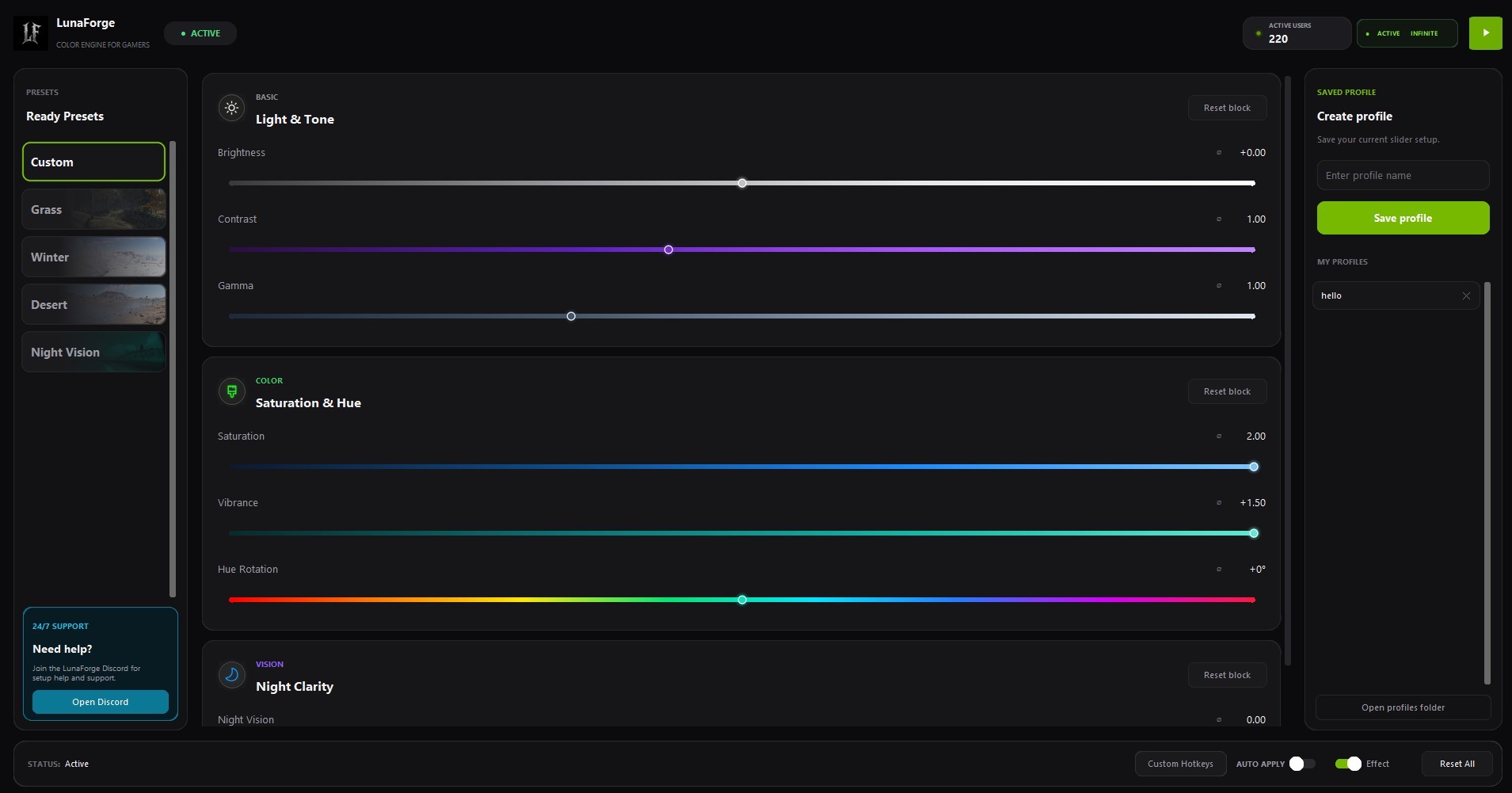
Fine-tune brightness, contrast, gamma, saturation, vibrance, hue and night clarity from one streamlined control panel. Apply changes instantly and create your own saved profiles.
Features
Create, save, rename, and switch between your own visual settings.
Quickly select profiles designed for summer, winter, desert, and darker environments.
Adjust vibrance, saturation, contrast, brightness, gamma, and temperature instantly.
Apply your chosen profile when Rust launches and restore your regular desktop settings when it closes.
Designed to run quietly in the background without adding unnecessary system load.
An intuitive dashboard that makes every setting easy to understand and control.
How it works
Step 1
Get access, then install LunaForge on your Windows computer.
Step 2
Select a preset or create your own visual profile.
Step 3
Start Rust and enjoy your selected color settings.
Pricing
Every plan includes the complete application. Cancel a subscription any time.
$7.99per month
Full access with the freedom to cancel anytime.
$3.99one-time payment
Pay once and keep access permanently.
Rust Mobile
Sign-up glitches keep locking players out. These accounts already work — you get the login email and password the moment your payment clears.
Out of stock — restocking soon
$5.99one-time payment
A ready-to-play Rust Mobile account, delivered the moment you pay.
$7.99one-time payment
The account plus lifetime LunaForge access for your PC.
Accounts are single-sale and delivered from live stock. Change the password after your first login — refunds are not available once credentials are revealed.
Payments handled over an encrypted connection.
A guided installer with clear setup steps.
New improvements and fixes arrive in-app.
Reach a real person in the Discord community.
LunaForge is an independent visual customization tool and is not affiliated with, sponsored by, or endorsed by Facepunch Studios. Users are responsible for following all applicable game and platform rules.
FAQ
Get LunaForge, choose your profile, and experience richer color in minutes.
Get AccessJoin the LunaForge Discord for setup help, questions and product support.